Pika 1.5.0 Open Source Software – An Open Source macOS Color Picker
Introduction
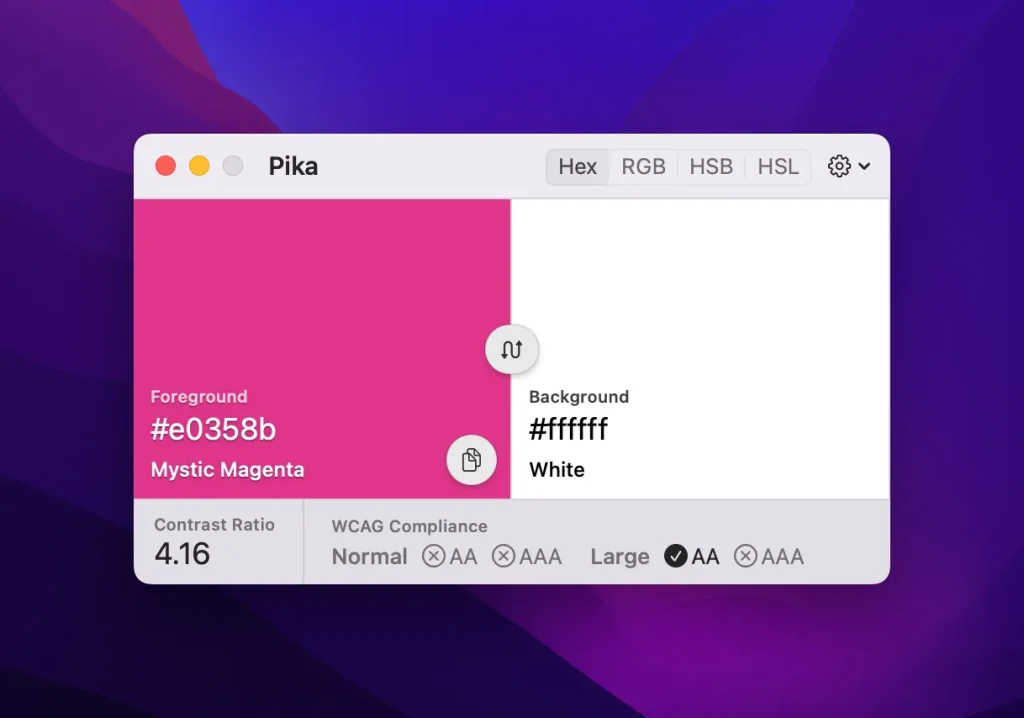
Pika is an open-source color picker application for macOS that helps users easily select colors from any screen and convert them to common color formats such as RGB, HEX, and CSS.
Screenshot
Features
- Click on the color swatch, then use your mouse to select the color on the screen.
- Use the keyboard shortcut “Command + Shift + X” to activate the color picker and select the color on the screen.
- Manually enter the color’s format (RGB, HEX, CSS, etc.) for precise color selection.